
RustDesk is a great open-source remote desktop software. By default, PEREK dyno controllers come with RustDesk preinstalled. At first, we were using the public servers provided by RustDesk to make the connection, but now we are switching to my private server to free up the resources for hobby RustDesk users.
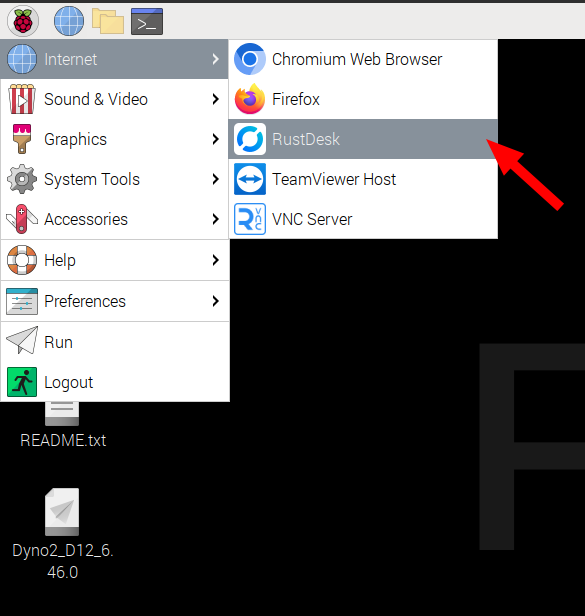
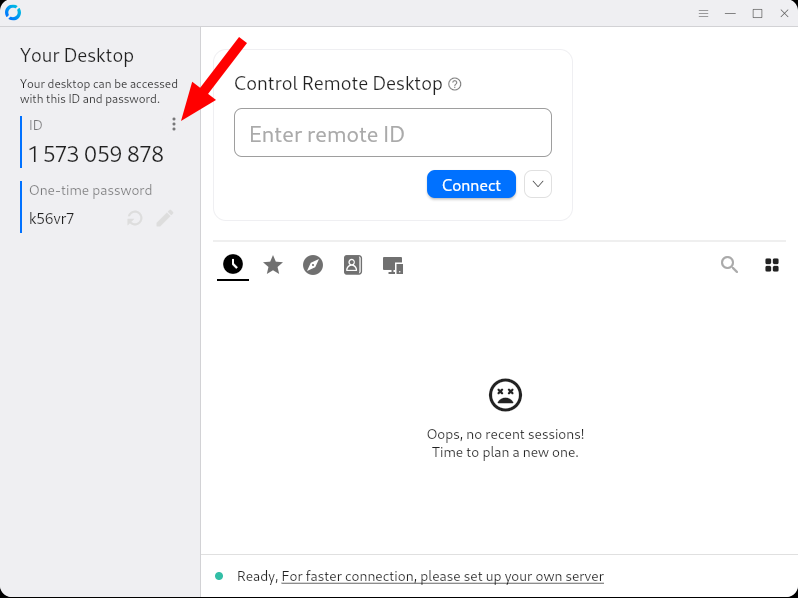
To switch RustDesk to the private server, start it and enter the settings dialog.
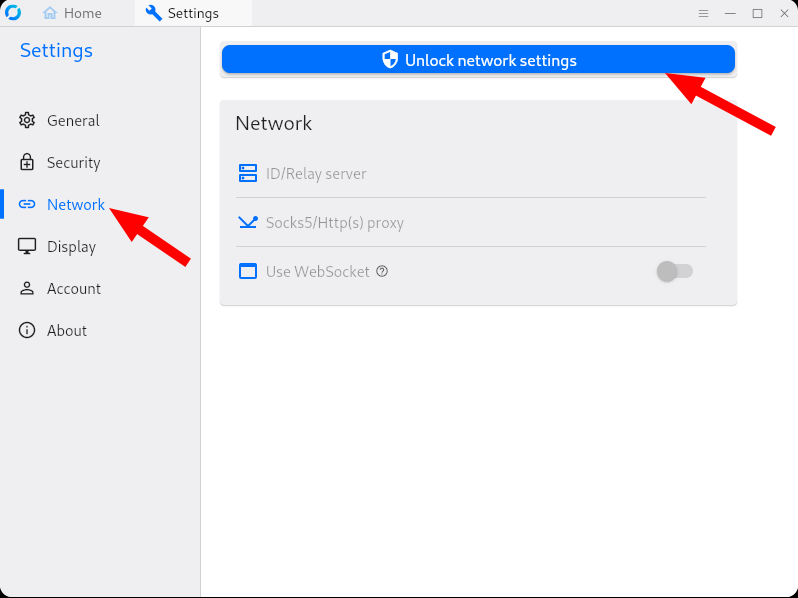
Go to network settings and unlock the settings. It will ask you for the operating system password. By default, it’s “dynoadmin” or the password you set yourself on first dyno software start.
After unlocking the settings. Enter ID/Relay server settings.
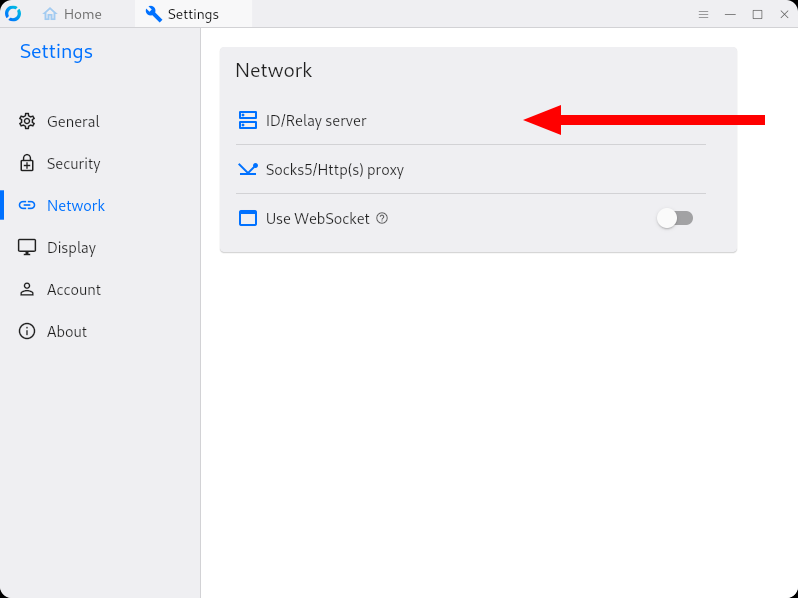
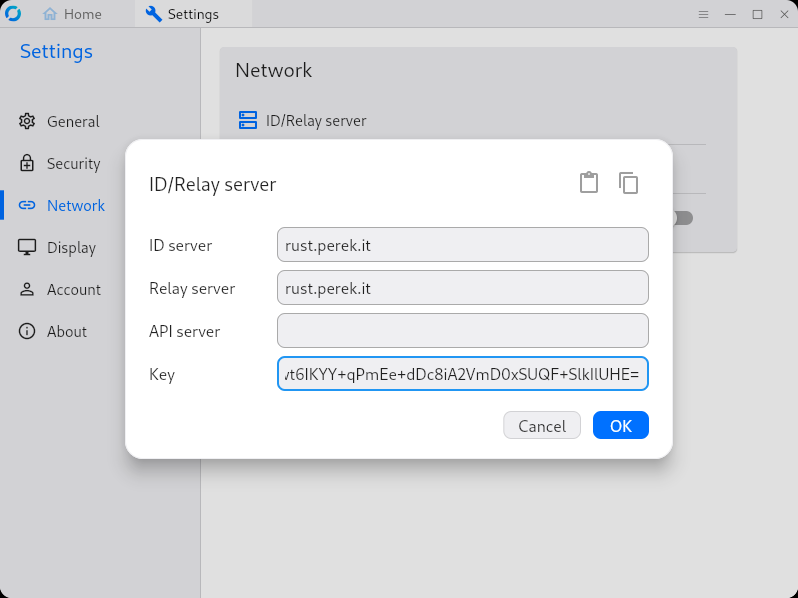
Enter the following ID/Relay server details:
ID server: rust.perek.it
Relay server: rust.perek.it
API server: [leave empty]
Key: ds9hwt6IKYY+qPmEe+dDc8iA2VmD0xSUQF+SlkIlUHE=
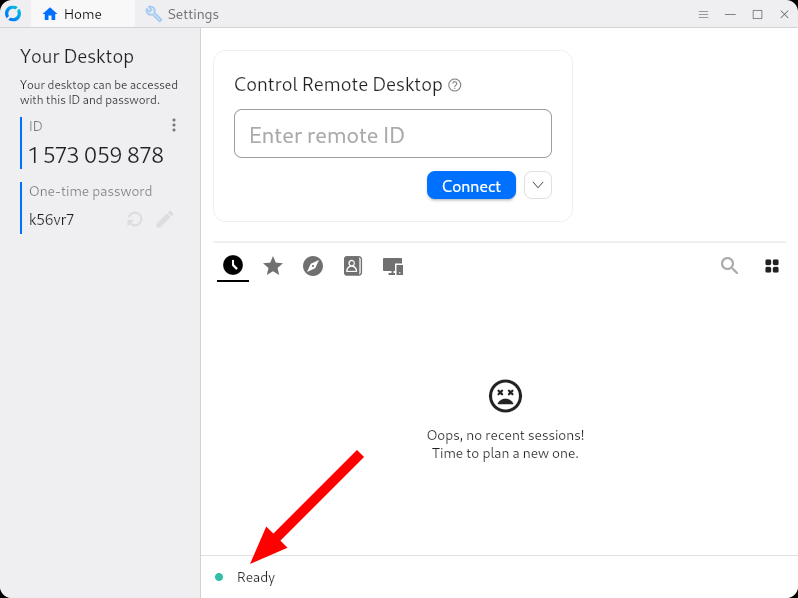
After confirming the settings, you should see the green “Ready” status at the bottom of RustDesk window. That confirms that everything is working fine, and you’re ready for my support.
If you need my support, please make sure you have a fast, stable, low latency internet connection. Preferably hard line all the way to the controller.
Here you can find information on how to set up cable Ethernet connection on the controller.
If your only option is sharing Internet connection from mobile phone, at least use USB tethering between phone and controller. It works without any configuration on the controller side and eliminates at least latency of the WiFi wireless connection.
Poor laggy Internet connection can easily increase our time needed to solve the issue from half hour to three hours.